Most of the commonly reported issues and questions are answered in the Frequently Asked Questions (FAQ) option under the Support menu of this website.
*** PLEASE NOTE ***
Your forum account is not the same as the account used in the shop. They are completely separate accounts.
Your forum account is not the same as the account used in the shop. They are completely separate accounts.
1st December: A new version of the GoFlight Interface Tool for MSFS is now available.
12th November: A new version of the GoFlight Interface Tool for X-Plane is now available.
6th June: A new version of Virtual Flight Sim Hardware is now available (huge update)
21st November: A new version of the GoFlight Interface Tool for FSX/FSXSE/P3D is now available.
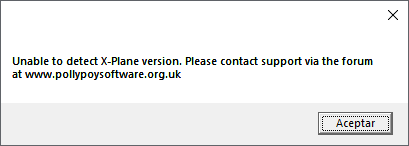
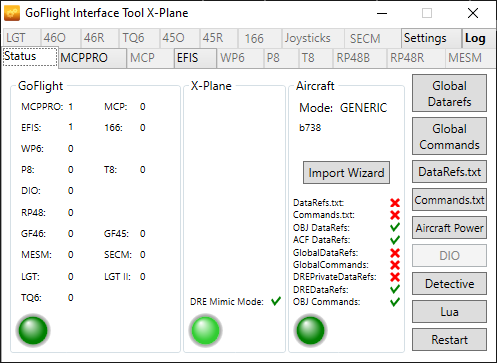
"Unable to detect x-plane version" during instalation

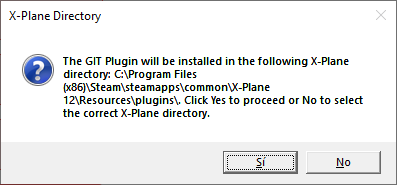
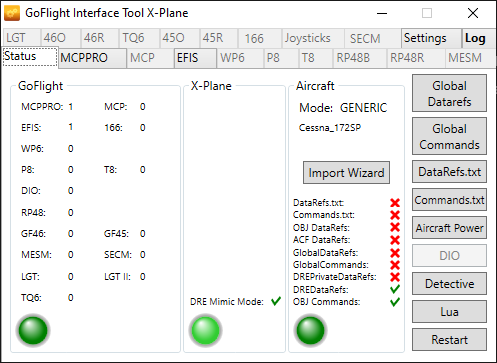
when installing "GoFlightInterfaceTool_SetupX-Plane_3_0_3_0" i get the correct path from the software automatically, (img1) but then i get the message of the title (img2) . After that the software finish the instalation, and i get 3 green lights when i start the flight, but the MCPPRO is all with zeros, GIT have some red X, for example, in "data refs" (img3). Reinstalling and selecting the path manually has the same behaviour. Also tried installing as an administrator.
Windows 10LTSC x64.
X-plane 12 Steam.
Windows 10LTSC x64.
X-plane 12 Steam.
Comments
GIT looks to be running fine, but you do need to configure the MCP Pro to get it to work. Read the beginners guide here: https://www.pollypotsoftware.org.uk/support/user-guide/goflight-interface-tool-x-plane/45-beginners-start-here/150-beginners-guide.html
Best wishes
Steve